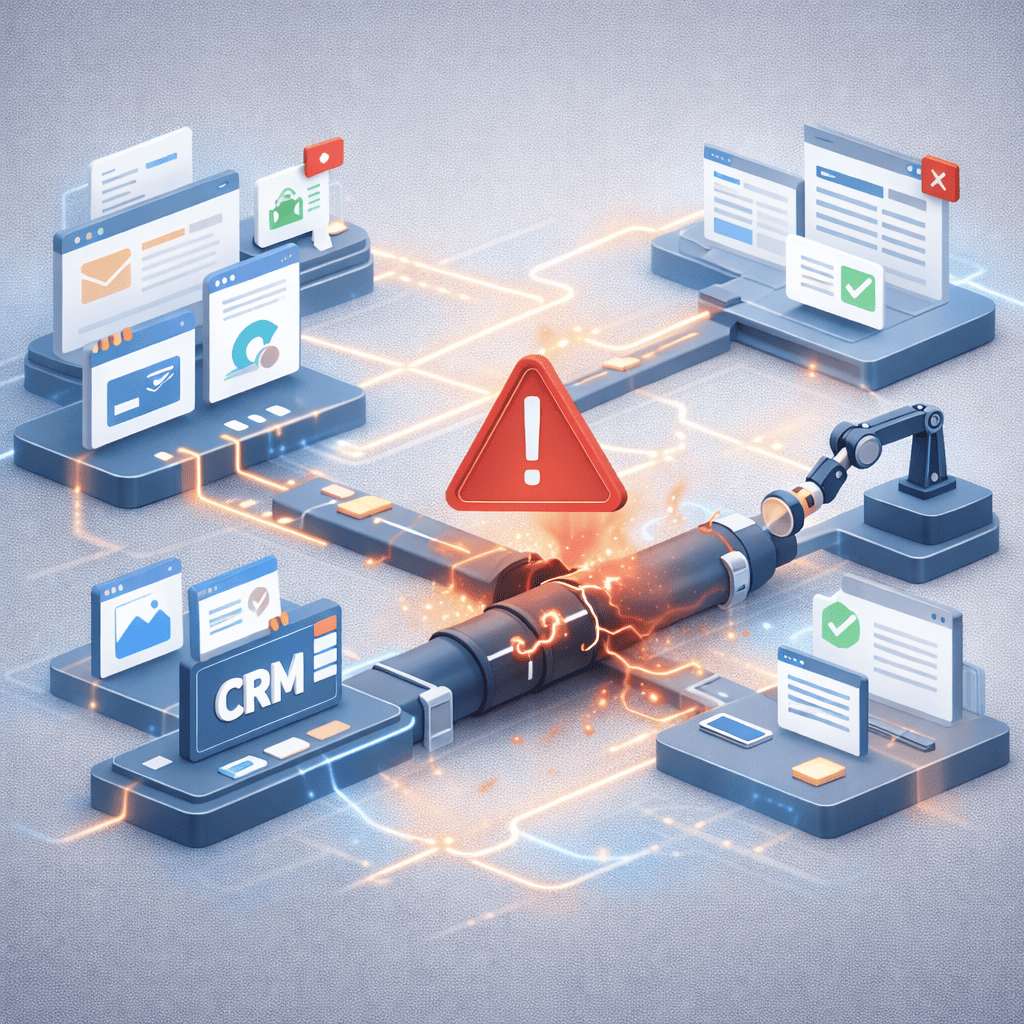

Workflow automation promises efficiency, speed, and operational leverage. At a small scale, it often delivers. A few triggers, connected apps, and structured actions can eliminate repetitive work within days. But when automation expands across teams, systems, and data environments, fragility appears.
Most workflow automation does not fail because of bad tools. It fails because of architectural weakness.
Scaling automation requires structural design, governance, and observability. Without these, complexity compounds faster than efficiency gains.
Why Workflow Automation Works at Small Scale
At early stages, workflow automation typically operates under controlled conditions:
- Limited number of integrations
- Small data volumes
- Few exception scenarios
- Direct human monitoring
If something breaks, the creator notices immediately. Adjustments are manual and fast.
This environment masks deeper structural risks.
Automation at a small scale is linear. At a large scale, it becomes exponential in complexity.
The Structural Shift at Scale
When workflow automation expands across departments, several hidden forces emerge.
1. Dependency Chains Multiply
Each automated workflow depends on:
- API stability
- Data schema consistency
- Permission settings
- External service uptime
As chains grow longer, failure probability increases.
One upstream change can cascade across multiple automations.
2. Data Drift Becomes Invisible
Data fields change. Naming conventions evolve. Input formats vary.
Without monitoring, workflow automation continues running but produces incorrect outputs.
Silent failure is more dangerous than visible failure.
3. Exception Volume Grows Non-Linearly
At scale, rare edge cases become common.
A workflow that handled 95% of cases successfully at a small scale may collapse under the 5% exceptions when transaction volume increases.
Automation must account for variability, not averages.
The Governance Gap
Many teams treat workflow automation as a productivity hack rather than infrastructure.
Infrastructure requires:
- Ownership
- Documentation
- Version control
- Monitoring dashboards
- Escalation logic
Without governance, automations become:
- Opaque
- Fragile
- Person-dependent
We previously examined how reliable AI workflows require human checkpoints. The same principle applies to automation at scale.
Automation without oversight is an accumulation of risk.
Why Tool Stacking Makes It Worse
Modern organizations often build workflow automation across multiple platforms:
- CRM systems
- Project management tools
- Email platforms
- Databases
- AI agents
Each additional layer increases:
- Integration surface area
- Latency
- Failure points
- Security exposure
The more distributed the architecture, the higher the coordination cost.
At scale, orchestration must replace ad-hoc connection building.
Observability: The Missing Layer
Most workflow automation systems lack observability.
Teams rarely track:
- Failure rates
- Processing delays
- Retry counts
- Error categories
- Escalation frequency
Without telemetry, issues remain invisible until outcomes degrade.
Enterprise-grade automation requires:
- Logging
- Alerting
- Performance thresholds
- Audit trails
Scaling without observability guarantees instability.
Human-in-the-Loop as a Stability Mechanism
Contrary to common belief, adding human checkpoints does not weaken workflow automation. As automation scales, stability depends on intentional oversight. We explored this governance layer in detail in our guide to designing reliable AI workflows with human oversight.
It stabilizes it.
Strategic review layers:
- Catch anomalies
- Validate high-risk outputs
- Handle ambiguous cases
- Adjust evolving logic
Fully autonomous automation increases brittleness.
Supervised automation increases resilience.
Organizational Causes of Automation Failure
Technical factors are only part of the problem.
Common organizational drivers include:
1. No Single Owner
If nobody owns workflow automation, everyone assumes someone else does.
2. Rapid Expansion Without Standards
Teams replicate automations without documentation or shared architecture.
3. Short-Term Optimization
Workflows are built to solve immediate pain, not long-term scalability.
4. Vendor Lock-In
Platform-specific automations limit flexibility and portability.
At scale, structural discipline matters more than speed.
Designing Automation for Scale
To prevent breakdown, workflow automation must be designed with scale in mind from the beginning.
Modular Architecture
Break complex workflows into independent components.
Avoid monolithic chains.
Centralized Documentation
Maintain:
- Workflow maps
- Trigger logic
- Exception rules
- Integration dependencies
Documentation reduces single-point knowledge risk.
Controlled Expansion
Before scaling:
- Stress-test with higher data volume
- Simulate edge cases
- Introduce failure injection testing
Assume scale will expose weaknesses.
Monitoring & Alerting
Define:
- Performance thresholds
- Error escalation paths
- Automated health checks
Automation must monitor itself.
The Scale Paradox
Workflow automation promises leverage.
At scale, leverage amplifies both strength and weakness.
If architecture is weak, failure spreads faster.
If architecture is disciplined, efficiency compounds.
Scaling is not about adding more workflows. It is about reinforcing foundations.
Conclusion
Most workflow automation breaks at scale because it was never designed for scale.
Small-scale success creates false confidence. As dependency chains grow and variability increases, fragility becomes visible.
Sustainable automation requires:
- Governance
- Observability
- Human checkpoints
- Modular design
- Ownership
Automation is not a shortcut. It is infrastructure.
Teams that treat workflow automation as architecture — not convenience — will scale reliably. Those who do not will spend more time fixing systems than benefiting from them.


Pingback: The Most Overlooked AI Tools for Operations and Analysis
Pingback: Building an AI-Powered Research Pipeline for Writers and Analysts