
AI-assisted daily planning systems rarely fail because people forget to plan. They fail because the systems themselves demand more cognitive effort than they save. They fail because the systems themselves demand more cognitive effort than they save. Lists grow faster than they shrink, priorities shift throughout the day, and planning becomes another task to manage rather than a support mechanism.
AI changes daily planning only when it is used to reduce decision load, not to add new layers of complexity. The goal is not smarter plans, but plans that survive contact with real work.
This article explains how to design AI-assisted daily planning systems that actually stick — systems people continue to use even when work gets messy.
Why Most Daily Planning Systems Break Down
Traditional planning methods assume stable conditions. Knowledge work rarely provides them.
Common failure points include:
- Too many tasks are competing for attention
- Plans created in isolation from real constraints
- Frequent interruptions and context switching
- Manual reprioritization throughout the day
As a result, plans become outdated within hours. When that happens repeatedly, trust in the system erodes. People stop planning not because they do not care, but because the plan no longer reflects reality.
AI should not be used to create better-looking plans. It should be used to keep plans aligned with reality as it changes. As planning complexity increases, cognitive load grows disproportionately, which is why decision-making quality deteriorates under constant prioritization pressure, a pattern widely discussed in research on cognitive load and decision-making.
The Core Principle: Planning as a Living System
An AI-assisted planning system is not a to-do list with intelligence added on top. It is a system that continuously adapts.
Effective systems treat daily planning as:
- A dynamic process, not a static list
- A prioritization problem, not a task capture problem
- A decision-reduction mechanism, not a productivity ritual
AI plays a role only where humans experience friction: prioritization, context awareness, and constant adjustment. AI-assisted daily planning works best when the system adapts continuously instead of relying on static task lists.
Step 1: Separate Task Capture From Daily Planning
Most people overload their daily plan with tasks that do not belong there.
AI-assisted systems work best when:
- Task capture is broad and permissive
- Daily planning is selective and constrained
Instead of deciding what to do while capturing tasks, AI helps later by:
- Grouping related tasks
- Identifying dependencies
- Flagging low-impact items
- Surfacing time-sensitive work
This separation reduces premature decisions and keeps daily plans realistic.
Step 2: Use AI to Propose, Not Decide
The fastest way to kill trust in a planning system is to let AI dictate priorities.
Effective systems use AI to:
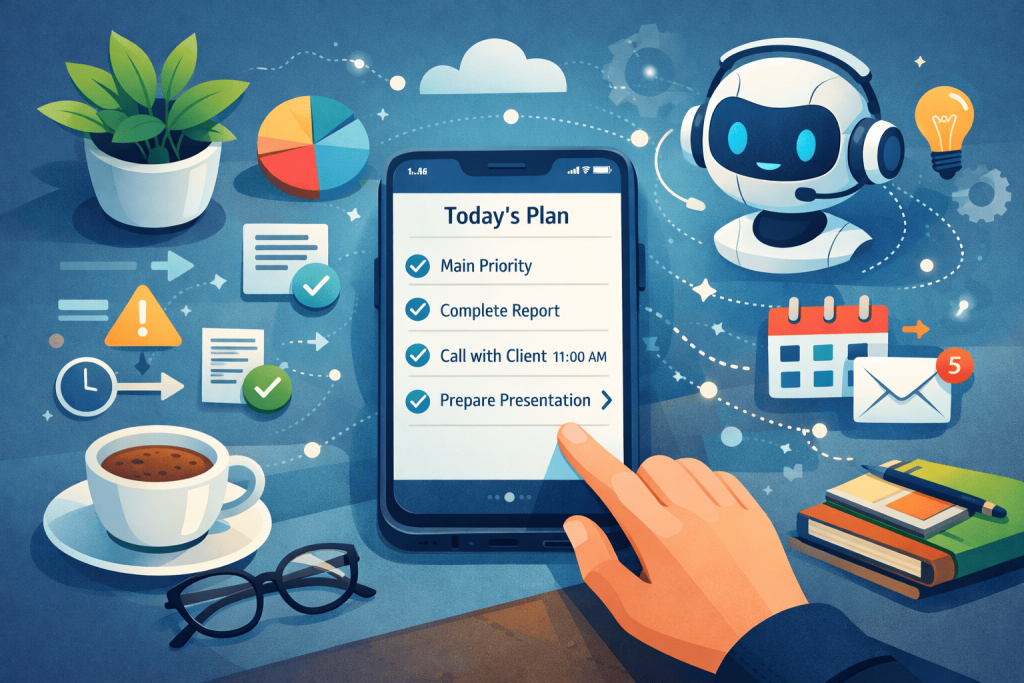
- Propose a daily focus
- Suggest task sequences
- Highlight conflicts and overload
The human role is to approve or adjust, not to build the plan from scratch. Reviewing a proposal requires far less cognitive effort than creating one.
This approval model keeps humans in control while reducing decision fatigue.
Step 3: Anchor the Plan to Capacity, Not Ambition
Daily plans fail when they are based on ideal days instead of actual capacity.
AI can assist by:
- Learning historical task completion rates
- Estimating realistic time windows
- Detecting overcommitment early
Instead of asking “What do I want to do today?”, the system reframes the question:
“Given my constraints, what should I realistically focus on today?”
This shift dramatically increases follow-through.
Step 4: Make Replanning Frictionless
Plans that cannot be adjusted quickly will be abandoned.
AI-assisted systems should make replanning:
- Automatic when conditions change
- Visible but not disruptive
- Lightweight, not ceremonial
Examples include:
- Reordering tasks when meetings are added
- Downgrading priorities after interruptions
- Deferring non-critical work without guilt
The plan evolves without requiring constant manual intervention.
Step 5: Reduce the Number of Daily Decisions
The hidden cost of planning is not time. It is decision volume. Decision fatigue is often the real reason daily plans break down, especially in knowledge work.
AI helps by:
- Pre-classifying tasks
- Applying default priorities
- Enforcing simple rules (e.g., one main focus per day)
Fewer decisions mean more energy for execution. This is why AI-assisted systems often feel “lighter” even when they include more logic under the hood.
Why AI-Assisted Planning Sticks When Traditional Systems Do Not
Systems stick when they earn trust.
AI-assisted planning earns trust by:
- Reflecting reality instead of optimism
- Adjusting automatically instead of demanding discipline
- Reducing guilt associated with unfinished tasks
People continue using systems that help them feel oriented, not judged.
Common Mistakes to Avoid
- Over-automating priorities
Full automation removes ownership and creates resistance. - Treating daily plans as commitments
Plans should guide attention, not enforce rigid schedules. - Adding AI without changing the planning model
AI amplifies existing structure — good or bad. - Ignoring emotional friction
Planning systems fail as much emotionally as they do logically.
When AI-Assisted Daily Planning Works Best
This approach is especially effective when:
- Work is interrupt-driven
- Priorities shift frequently
- Multiple projects compete for attention
- Decision fatigue is a recurring issue
It is less useful in highly repetitive or procedural environments, where fixed schedules already work.
Final Thoughts
AI-assisted daily planning is not about optimization. It is about alignment.
When planning systems adapt to how work actually unfolds, people stop fighting them. The system fades into the background and becomes part of how the day naturally progresses.
That is when planning finally sticks — not because it is smarter, but because it asks less of the person using it.