
Email remains one of the most persistent productivity bottlenecks, not because of volume alone, but because every message demands attention, judgment, and a decision. Over time, this constant context switching quietly drains focus.
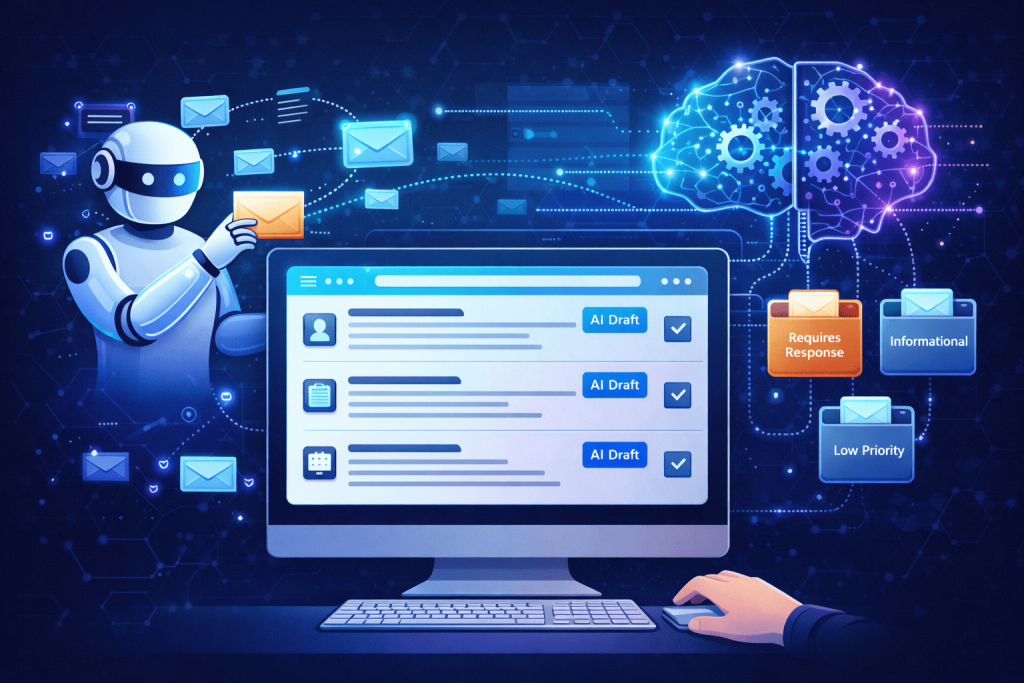
Zero-touch email management is an attempt to solve that problem at the system level. Instead of optimizing how fast we process emails, the goal is to remove humans from routine email decisions entirely, using AI to categorize messages and draft responses automatically.
This approach is not about inbox zero. It is about inbox irrelevance.
What Zero-Touch Email Management Really Means
Zero-touch does not mean ignoring email or letting AI send messages blindly. It means defining clear boundaries between:
- Emails that require human judgment
- Emails that follow predictable patterns
- Emails that should never reach your attention at all
AI works best in structured environments. Email, despite its chaos, is full of repetition: status updates, scheduling requests, confirmations, common questions, and follow-ups.
Zero-touch systems are built by identifying those patterns and letting AI handle them consistently.
Step 1: AI-Based Email Categorization
The foundation of zero-touch email management is reliable categorization.
Instead of folders created manually, AI can classify incoming messages into functional categories such as:
- Requires response
- Informational only
- Scheduling
- Sales or outreach
- Internal updates
- low priority/archive
The key is that these categories are action-oriented, not semantic. The goal is not to understand what the email is about, but what should happen next.
Once categorization is accurate, most emails no longer need to be opened at all.
Step 2: Drafting Replies Before You Read the Email
The real leverage comes when AI drafts replies automatically.
For recurring scenarios, AI can prepare response drafts based on:
- Sender
- Category
- Historical replies
- Context from previous conversations
This changes the workflow completely. Instead of reading an email and deciding what to write, you review a prepared draft and either approve, edit, or discard it.
In practice, this removes the most time-consuming part of email: composing responses from scratch.
Step 3: Human-in-the-Loop, Not Human-in-the-Flow
A common mistake is trying to fully automate email replies too early.
Effective zero-touch systems use a human-in-the-loop model:
- AI prepares
- Human validates
- System sends
This preserves control while still removing the cognitive burden. Over time, as confidence grows, specific categories can move to auto-send without review.
The goal is gradual delegation, not immediate replacement.
Step 4: Defining “Never Touch” Rules
Some emails should never interrupt you.
AI can enforce rules such as:
- Auto-archive newsletters after summarization
- Auto-label external outreach
- Auto-defer low-priority messages
- Auto-close threads after resolution
These rules protect attention. Productivity gains do not come from answering emails faster; they come from not answering unnecessary emails at all.
Why This Works Better Than Traditional Email Productivity Tips
Most email advice focuses on habits: checking less often, batching, or better filters. Those approaches still rely on discipline.
Zero-touch email management relies on systems, not willpower.
AI does not get tired, impatient, or distracted. Once trained, it applies the same logic consistently, which is exactly what email needs.
The result is not just time saved, but a reduction in background stress. Email stops feeling urgent and starts feeling managed.
Risks and Limitations to Be Aware Of
Zero-touch does not eliminate responsibility.
Poorly defined categories or unclear response patterns can lead to:
- Incorrect drafts
- Misaligned tone
- Contextual mistakes
This is why starting small matters. Begin with low-risk categories and expand only when confidence is earned.
Email automation should be boring, predictable, and reversible.
The Bigger Picture: Email as a Workflow, Not a Task
When treated as a task, email consumes attention endlessly. When treated as a workflow, it becomes manageable.
Zero-touch email management reframes email from something you do into something that runs. AI becomes the operational layer that absorbs repetition and noise.
The real benefit is not an empty inbox. It is the ability to work without email, constantly pulling you out of focus.
That is where automation stops being a tool and becomes infrastructure.